
TWIPLA for Wix
About Wix and the TWIPLA Wix Plugin
Wix is best known for its ease-of-use, while also being a very powerful website building tool. There are hundreds of pre-defined templates to choose from, enabling you to quickly and easily create an impressive website. Likewise, their web hosting is pretty great.
The multitude of website designs, the developing tools available, and the great variety of Wix and third-party apps offered by them are as easy to install as they are to use, making this platform a very popular and user-friendly service.
This flexibility and ease of customization are meant to add functionality to the site and, at the same time, provide easier site-building experiences.
Wix's strengths are represented by simplicity and accessibility, whether you want to set up a store, promote your business ideas, or simply play around. It has everything you could need to create a high-grade website, even for people new to website building.
However, to effectively manage a Wix site, website owners need to track their website traffic. Fortunately, there are plugins available, such as TWIPLA, which seamlessly integrate with Wix. Once installed, TWIPLA provides you with the following insights and functionalities for better website management:
Discover TWIPLA’s Core Features
Unlock smarter analytics with a closer look at our latest platform capabilities and tools. Designed to help you understand visitor behavior and optimize performance, our comprehensive features overview is your first step toward transforming insights into measurable growth.
How to Install TWIPLA on Wix
Get TWIPLA on your Wix site quickly! Just install the TWIPLA Website Intelligence Plugin from the Wix App Market, and then follow our step-by-step installation guide below.
Easy Installation of the TWIPLA Wix Plugin
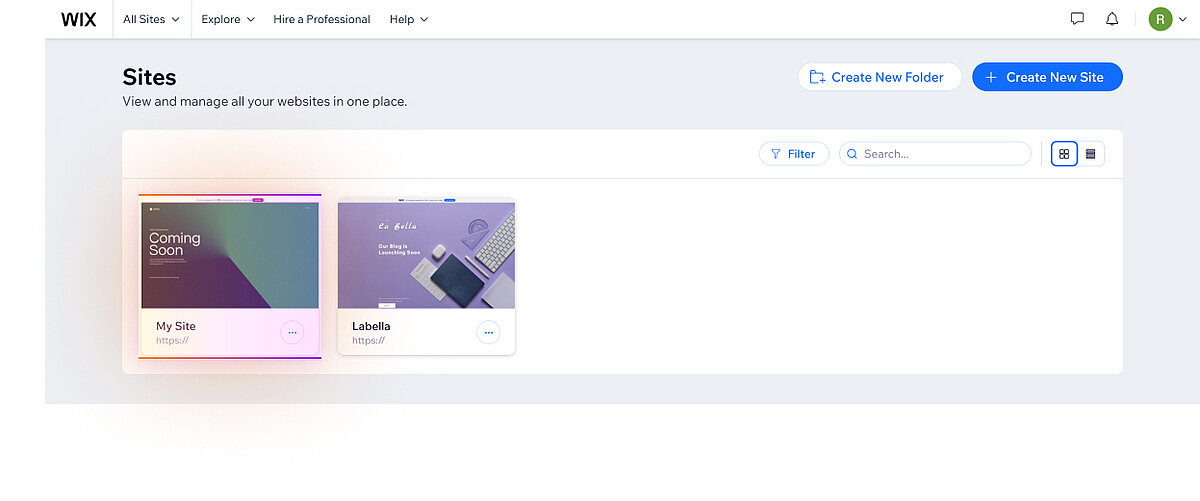
Select Your Wix Website
1. In your Wix account, navigate to the Sites page to view the list of your websites and select the website where you want to install our app.
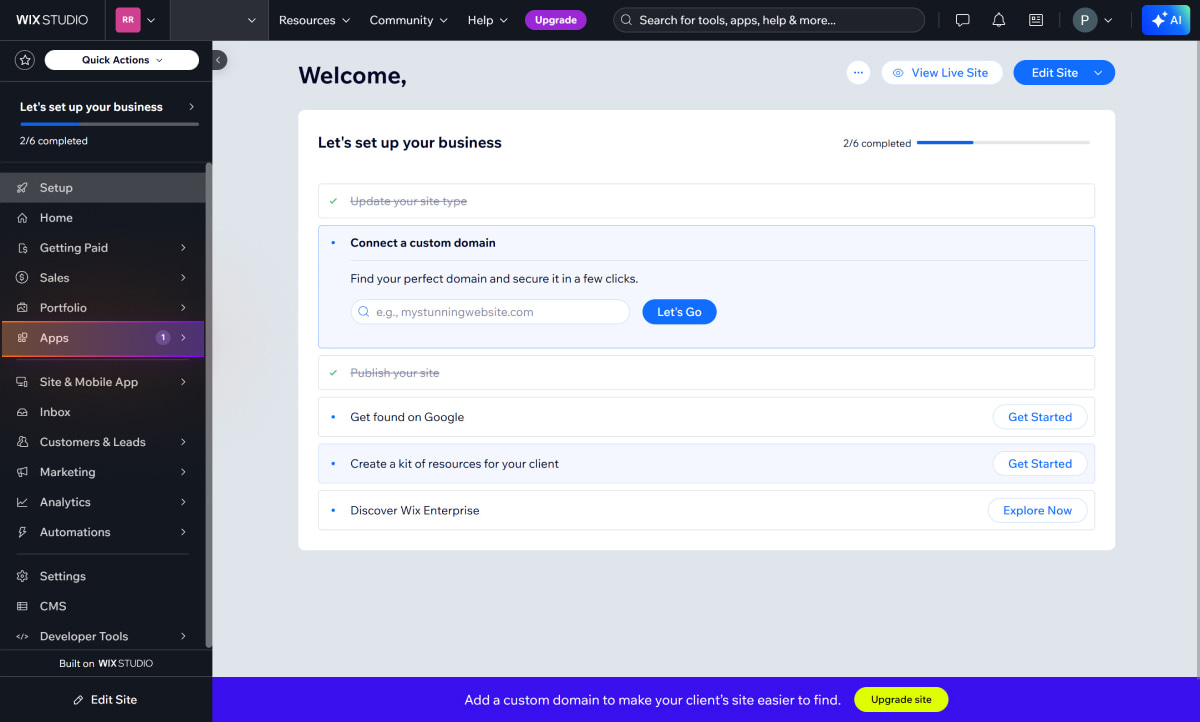
Open The App Market
2. After choosing the website, you will be taken to the Sites Dashboard. Select Apps from the left-side menu to open the App Market.
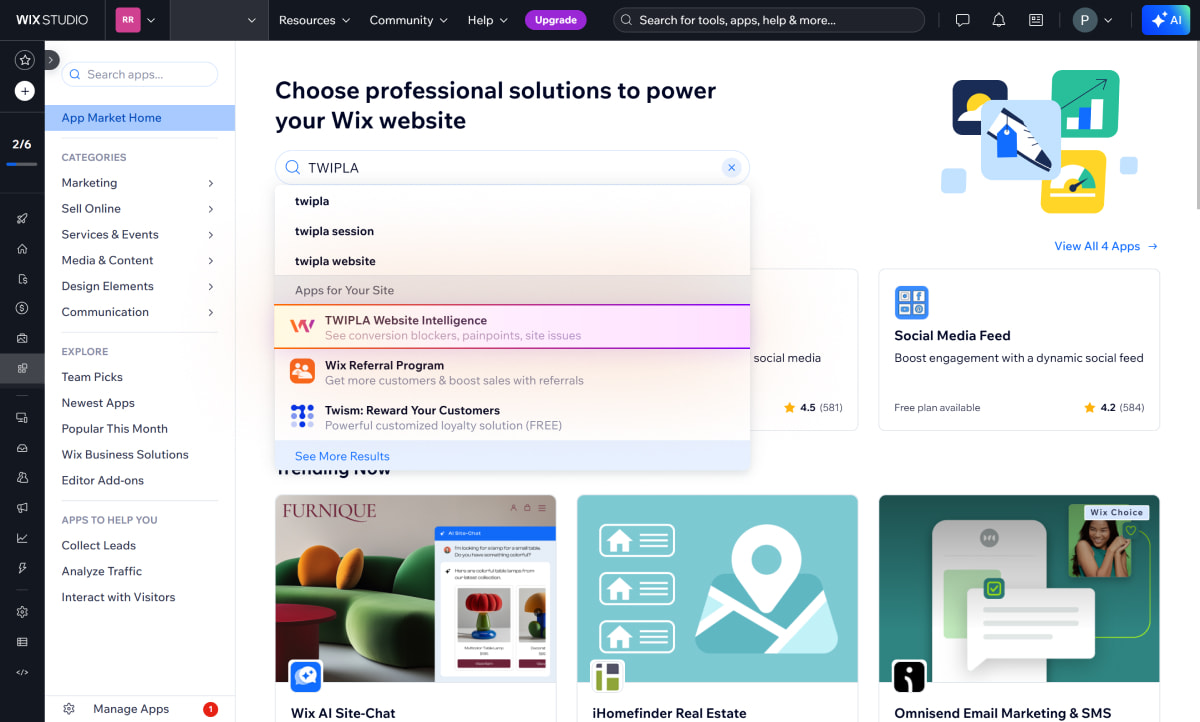
Search for the TWIPLA App
3. In the App Market search bar, enter 'TWIPLA' and then select the TWIPLA Website Intelligence app.

Install The App
4. To install our app on your website, simply click Add to Site.
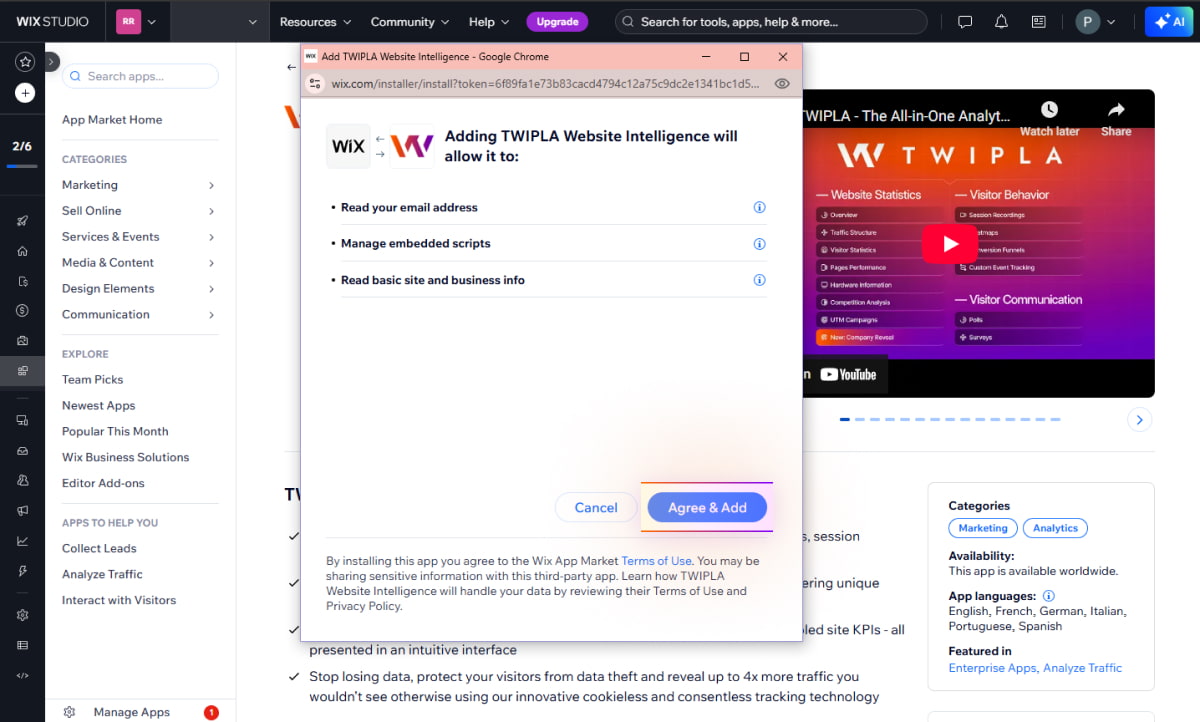
Grant App Access
5. Click Agree & Add in the pop-up window. This confirms your agreement to grant our app access to basic website information.
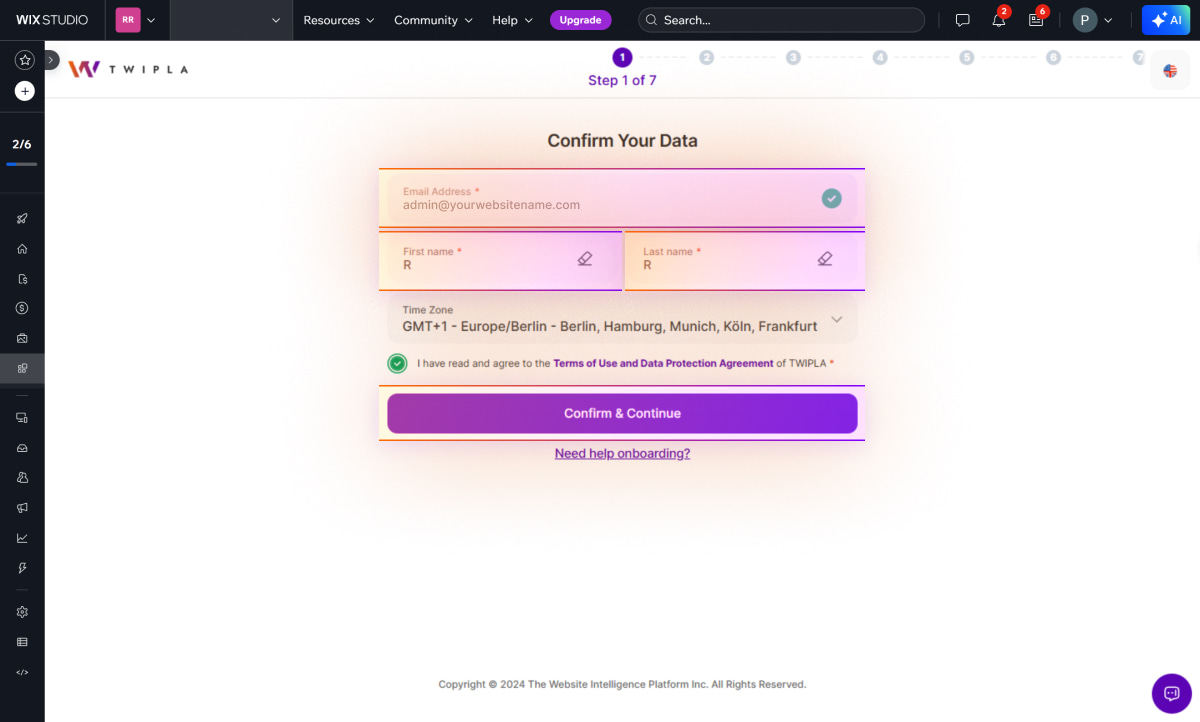
Confirm Your Data
6. You will be taken to the onboarding screen to confirm your details and set up your account. Your Wix account email will be automatically used and cannot be changed. Enter your first and last name, amd select your timezone. Check the box to agree to the Terms of Use and Data Protection Agreement, and then click Confirm & Continue.
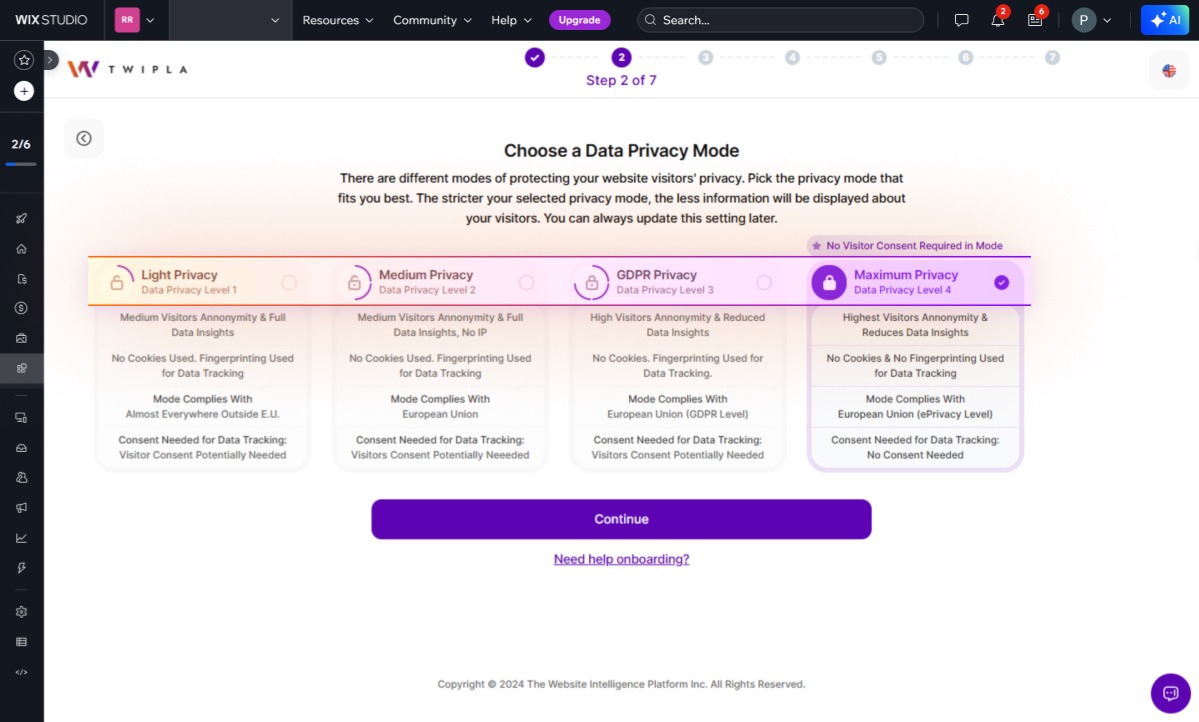
Select Your Privacy Preference
7. Select your preferred Data Privacy Mode. By default, the Data Privacy Mode is set to Maximum Privacy. If you wish to change it, select a different privacy mode using the radio button, and then click Continue. Simply click Continue to proceed with the default setting.
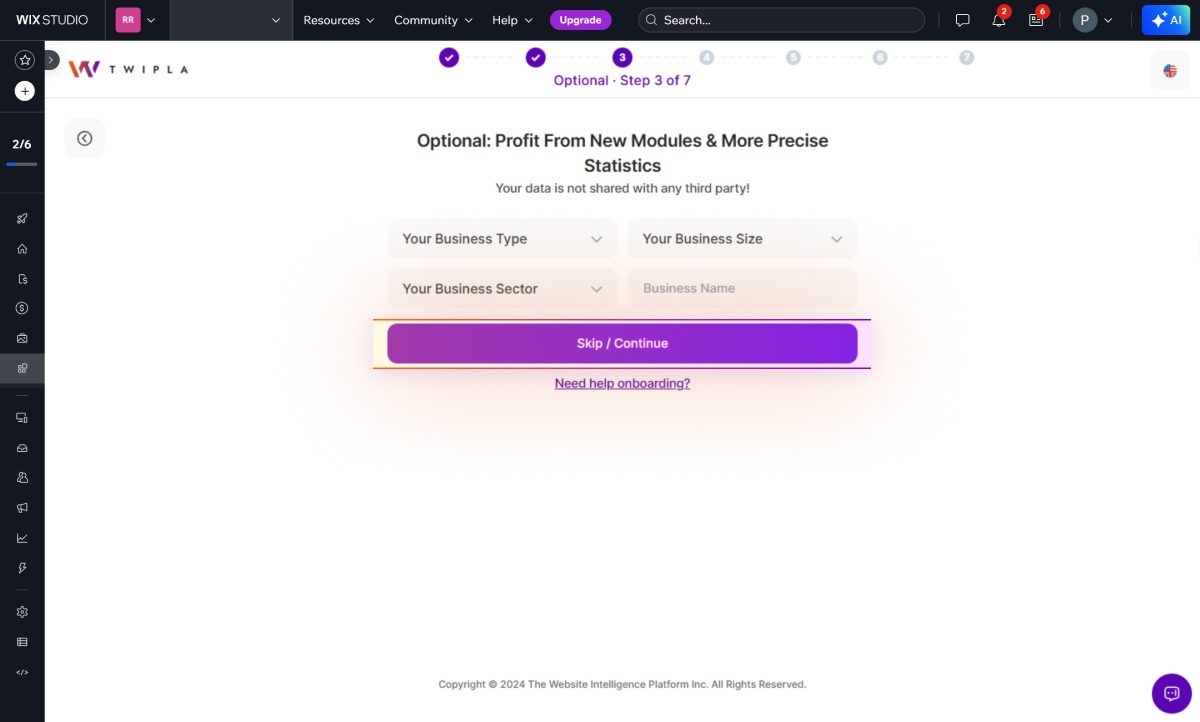
Share Your Business Information
8. This step is optional. Enhance your data i.e. regarding the competition comparison by providing your business type, size, sector, and name. This data remains confidential and is not shared with third parties! By sharing this information, you'll unlock access to new modules and receive more precise statistics.
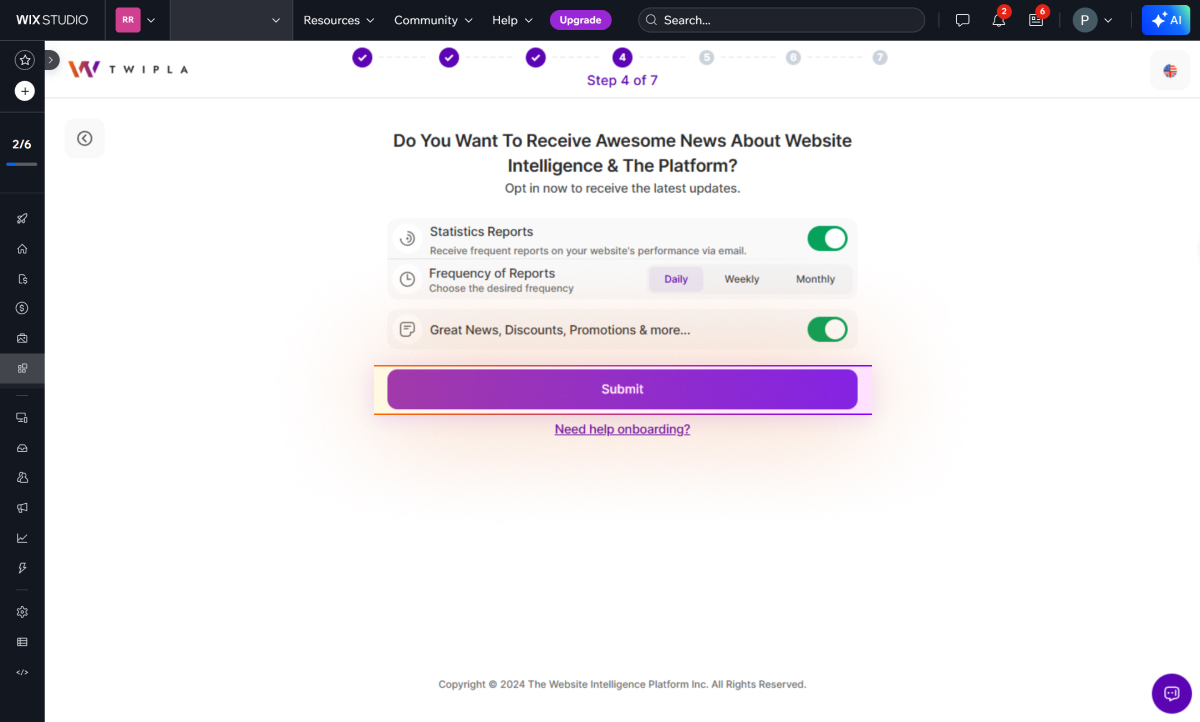
Adjust Notification Options
9. Set your notification preferences by choosing the types of notifications you want to receive. Enable each notification option by using the toggle button, then click Submit.
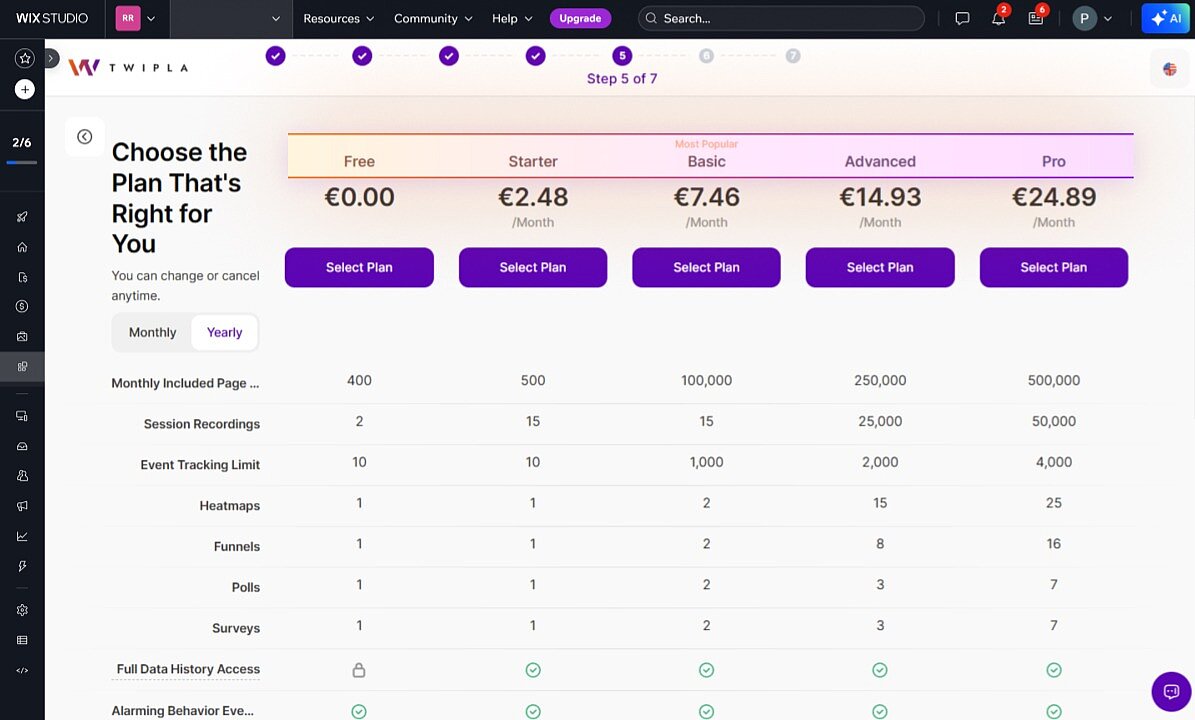
Pick Your Plan
10. Choose the plan that best fits your needs, based on features like monthly page views and session recordings. You may choose our complimentary Free plan or opt for our Starter plan at $2.99 per month to gain comprehensive access to our analytics suite.
Tracking Code Setup
11. Your tracking code is being generated. Please wait while the process completes.
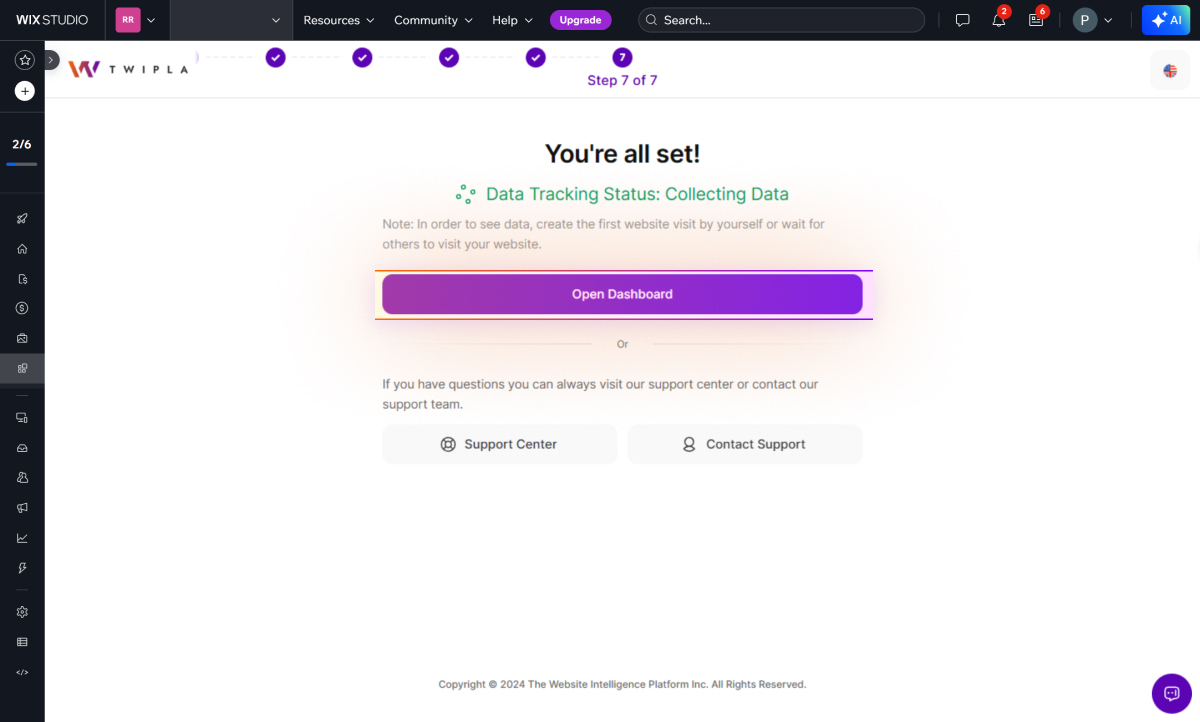
Setup Complete
12. You’re all set! Click Open Dashboard to access the Main Dashboards. To confirm website visit tracking, visit your live website and then reload the dashboard to see your initial stats.
Stuck on onboarding? Just click the Need help onboarding? link at the bottom of the steps to chat with our Support Team.
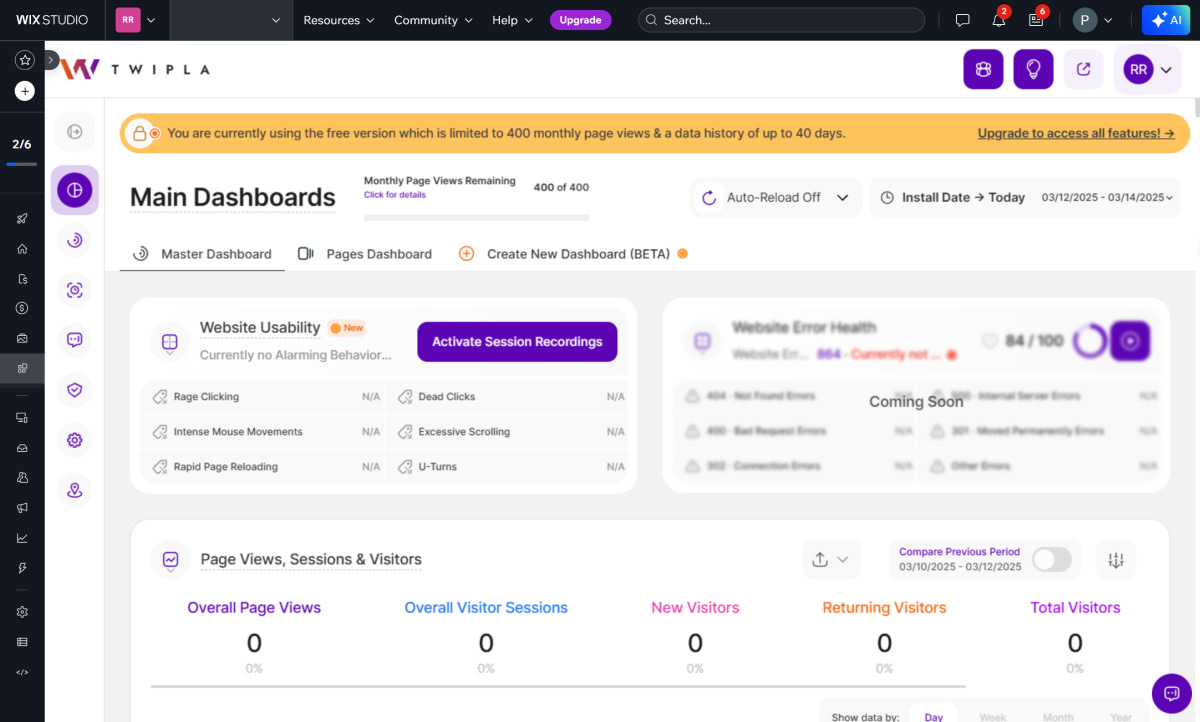
Explore Your TWIPLA Dashboards
Welcome to TWIPLA! We're excited to have you. Dive into your Main Dashboards for a straightforward view of your website's performance and to start your analytics journey.
Frequently Asked Questions about Using TWIPLA on Wix (FAQ)
Please see our detailed Wix FAQs here.
Support for Installation and Using TWIPLA on Wix
If you encounter any issues during installation, you can reach us through:
- Email: Send us a message at support@twipla.com.
- Chat Bubble: Use the chat bubble available on our website.
- In-App Support: Access support directly within the app.
For additional details, please visit our Contact Us page. We are committed to ensuring a smooth and seamless experience with our plugin!